4. Design and Investigation using spColumn
spMats provides the option to export piles and columns information from the foundation model to spColumn. Column Text Input (CTI) files are generated by spMats to include the section, materials, and the loads from the spMats foundation model required by spColumn for strength design and investigation of piles. Once the spMats foundation model is completed and successfully executed, the following steps illustrate the design of a sample pile.
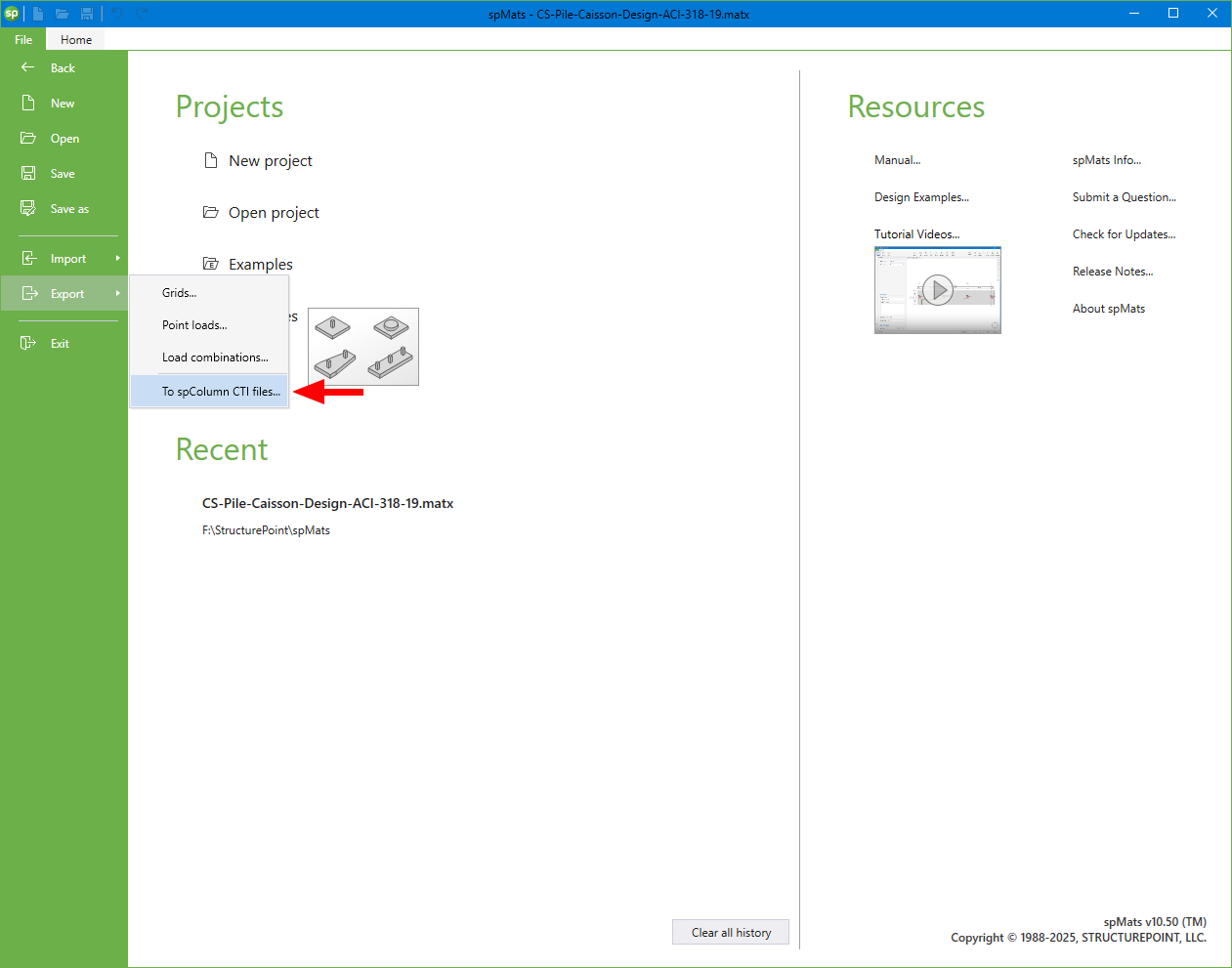
Figure 9 – Exporting spColumn CTI Files (spMats)
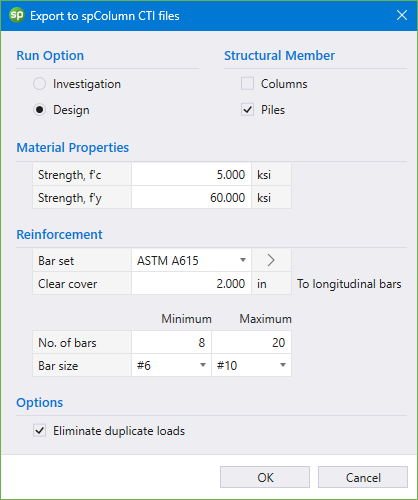
Figure 10 – Exporting CTI Files Dialog Box for Piles (spMats)
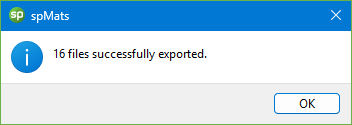
Figure 11 – Message Dialog Box (spMats)
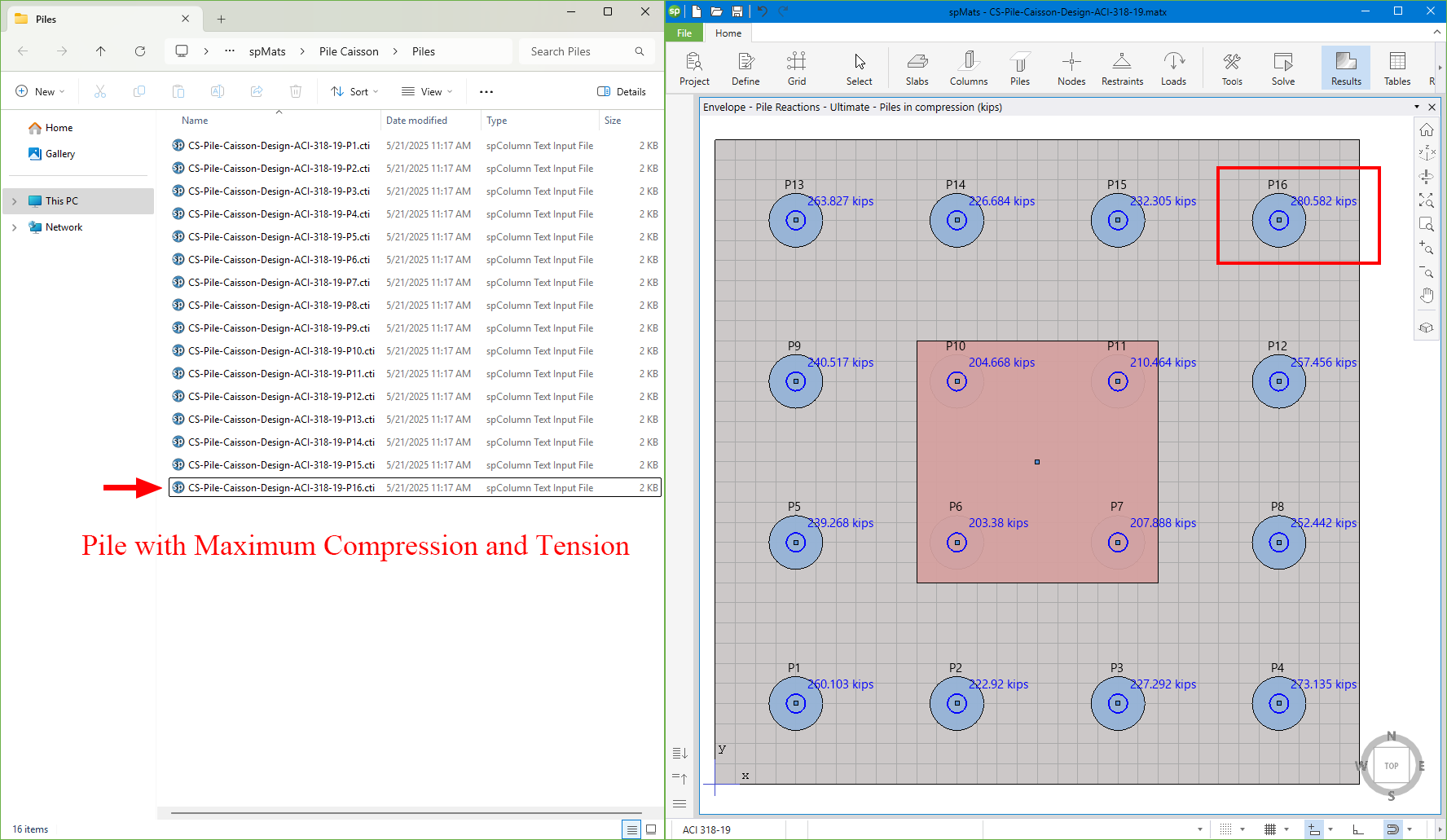
Figure 12 – Exported CTI Files (spMats)
After exporting spColumn input files, the pile design/investigation can proceed/modified to meet project specifications and criteria.
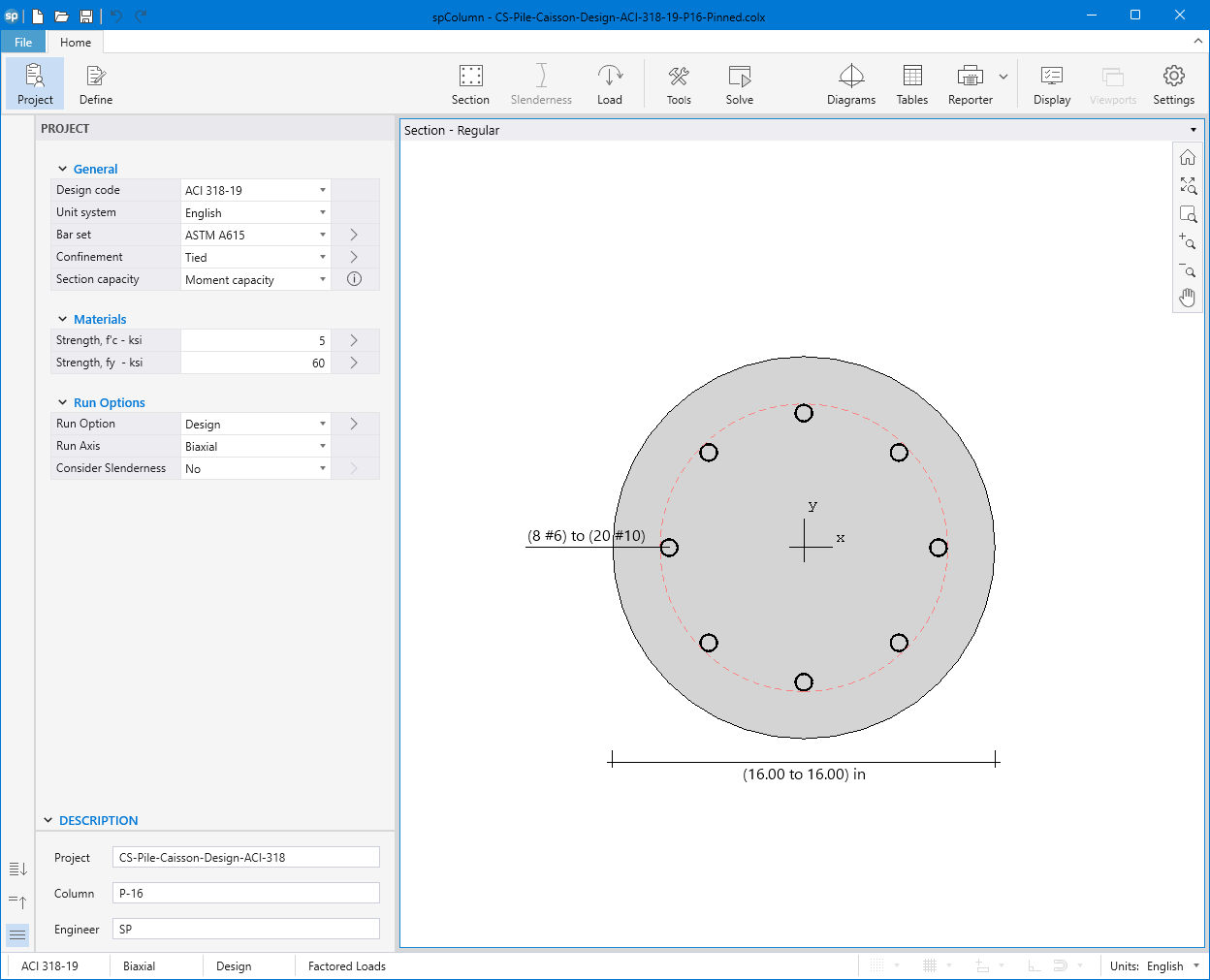
Figure 13 – spColumn Design Interface
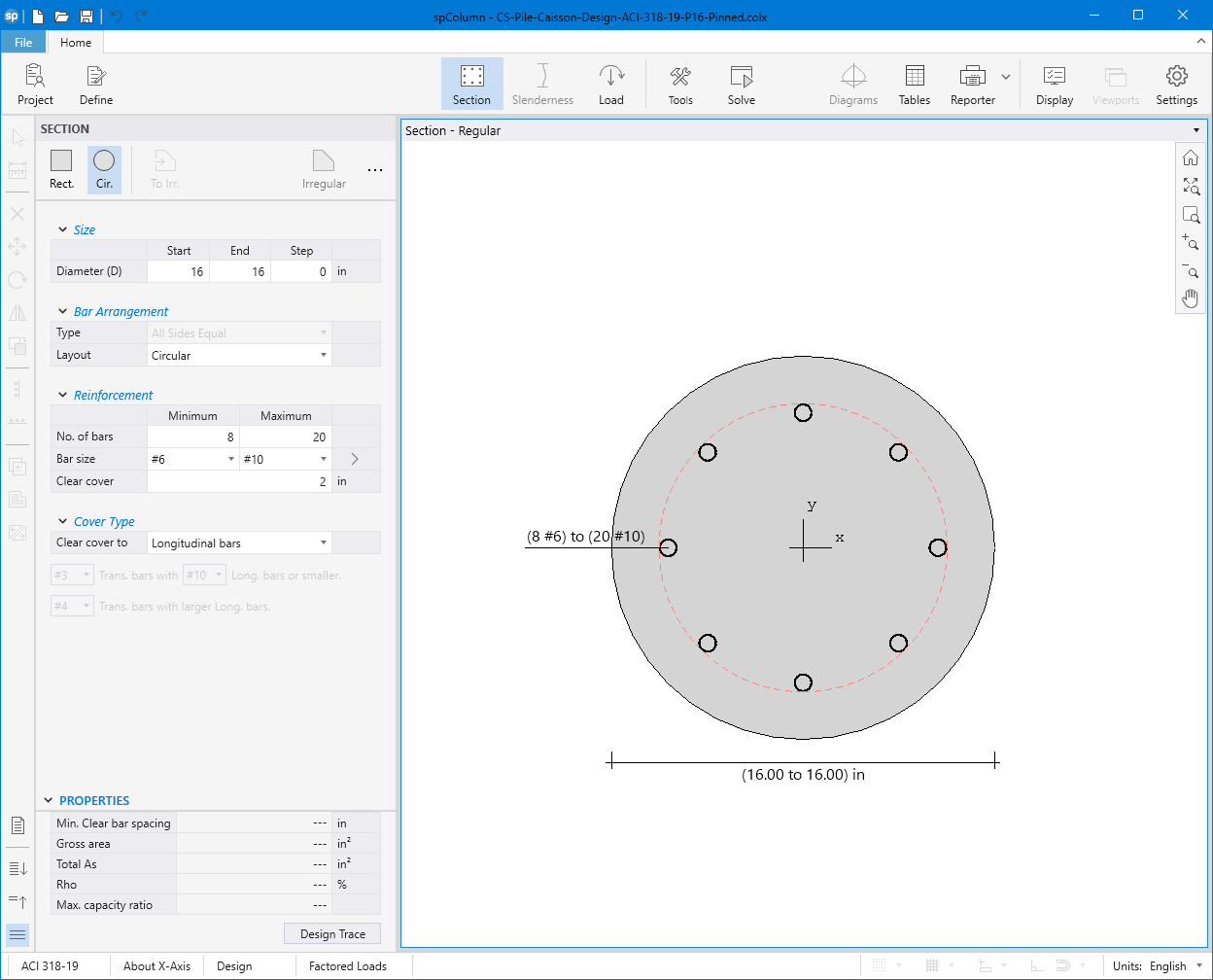
Figure 14 – spColumn Section Editor
4.1. When Pile is Pinned to the Pile Cap
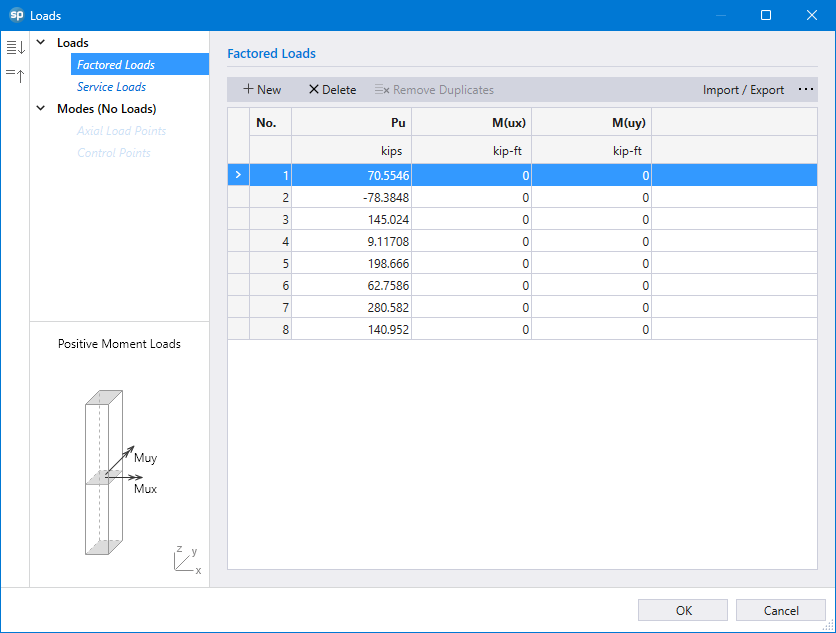
Figure 15 – spColumn Factored Loads Imported from spMats
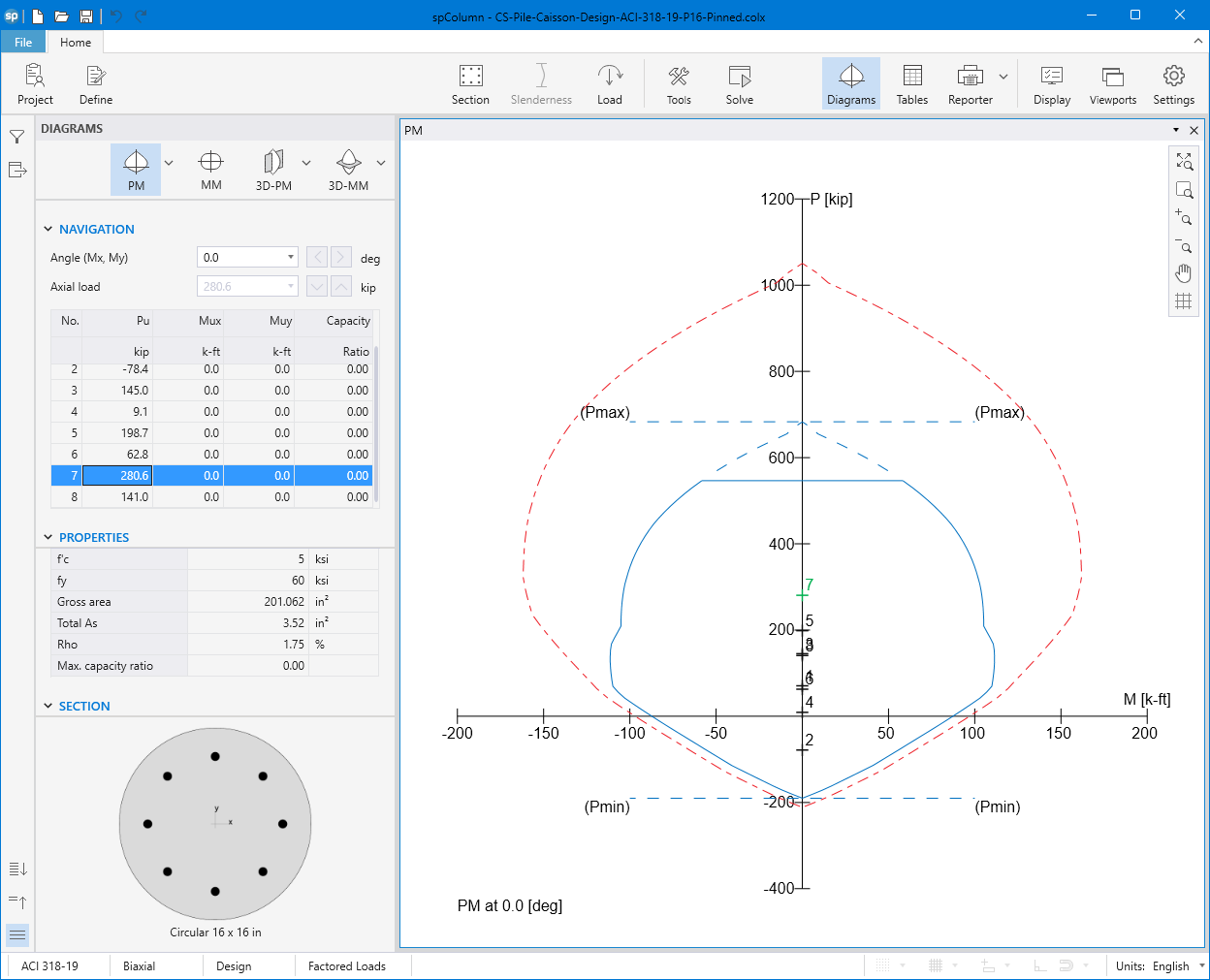
Figure 16 – Pile Section Interaction Diagram at 0° (spColumn)
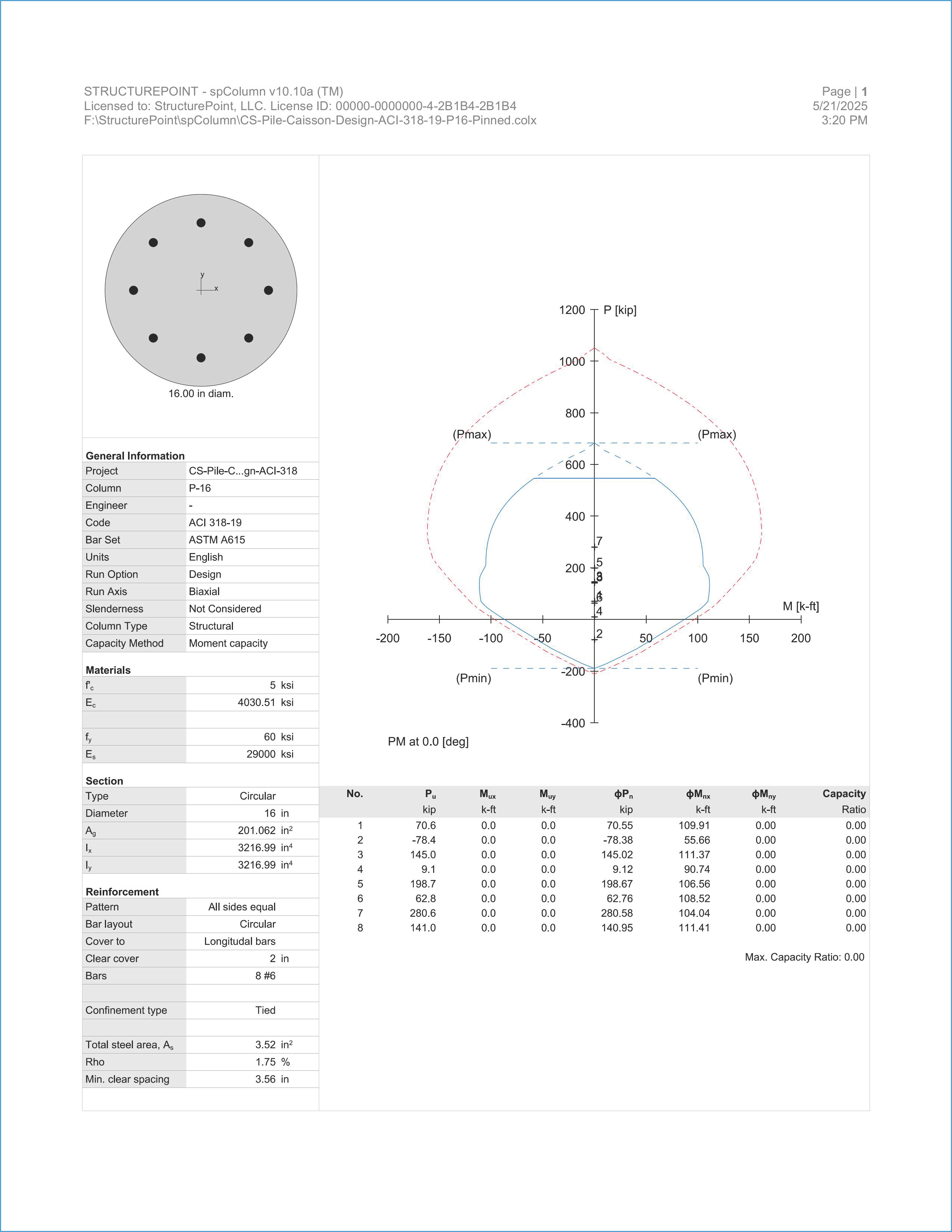
Figure 17 – spColumn Output Report (When Pile is Pinned)
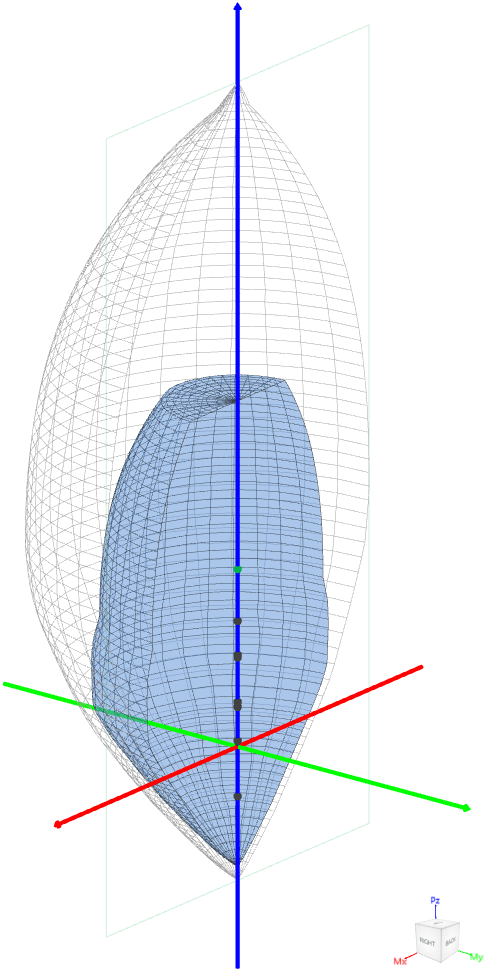
Figure 18 – Pile 3D Failure Surfaces (spColumn)
4.2. When Pile is Fixed to the Pile Cap
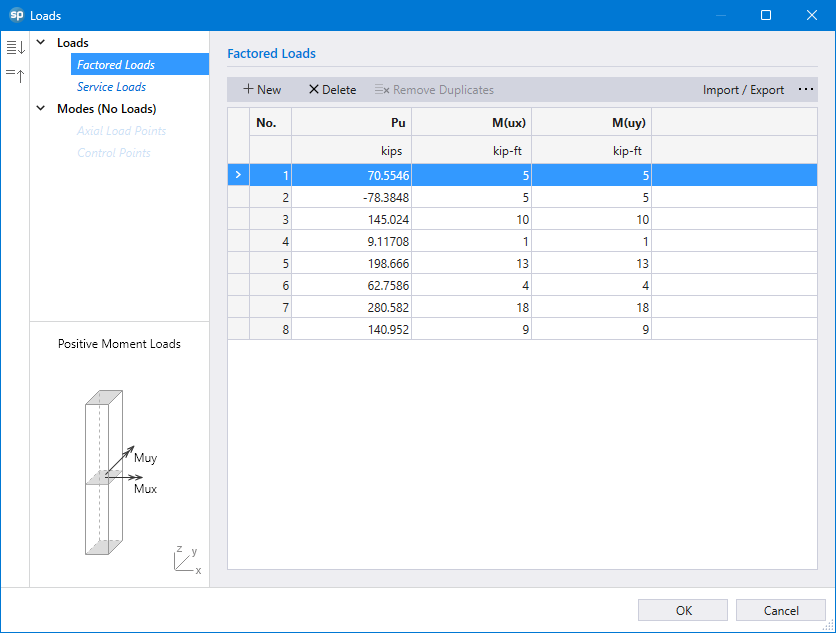
Figure 19 – spColumn Factored Loads Imported from spMats
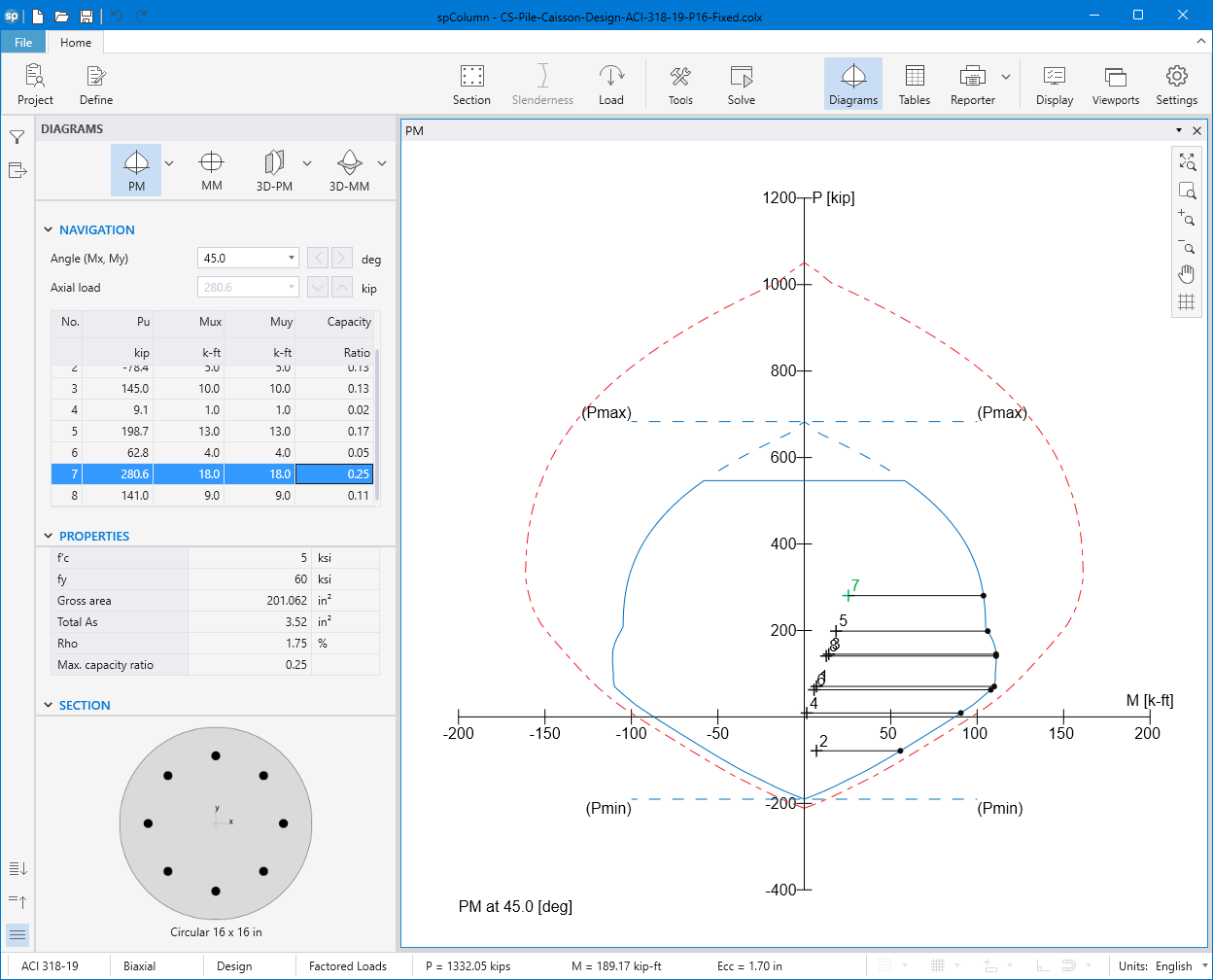
Figure 20 – Pile Section Interaction Diagram at 45° (spColumn)
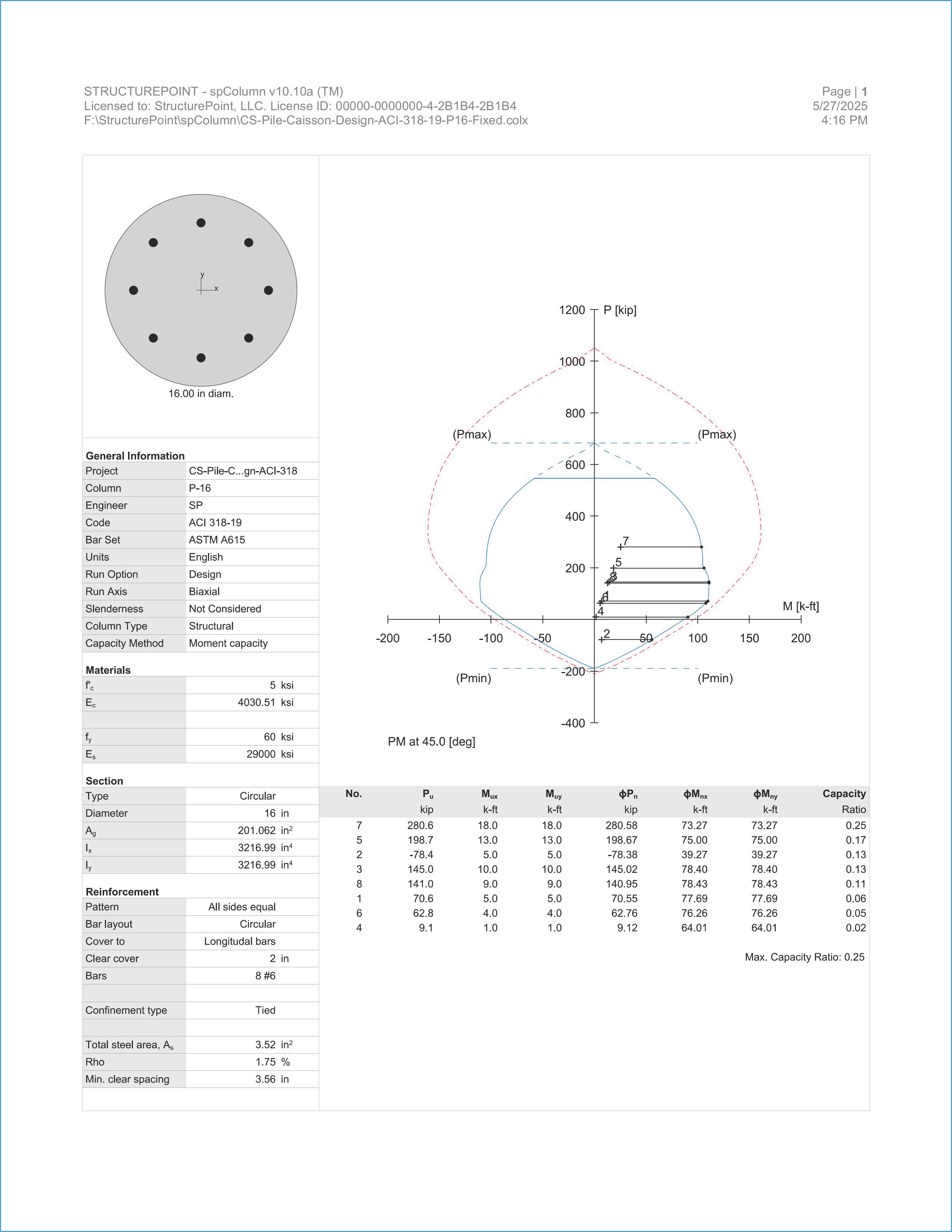
Figure 21 – spColumn Output Report (When Pile is Fixed)
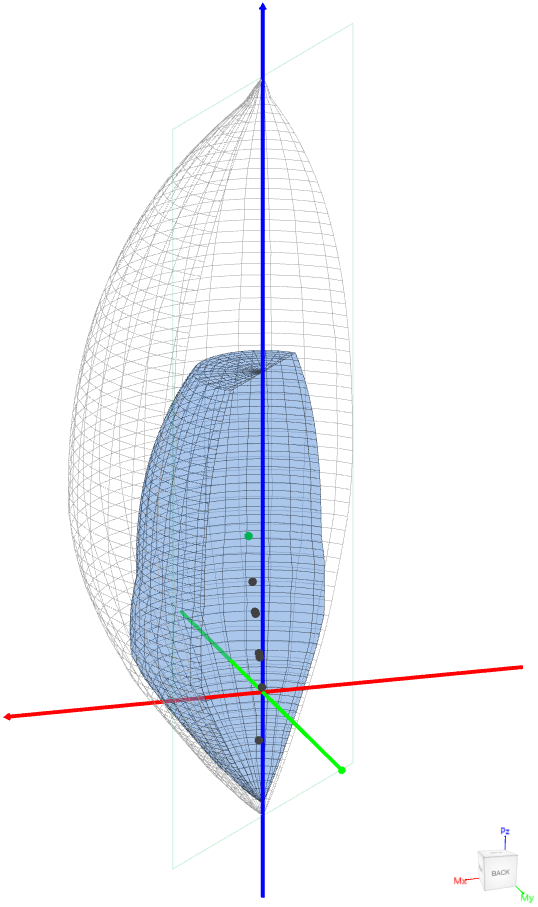
Figure 22 – Pile 3D Failure Surfaces (spColumn)
4.3. Spiral vs Tied Confinement
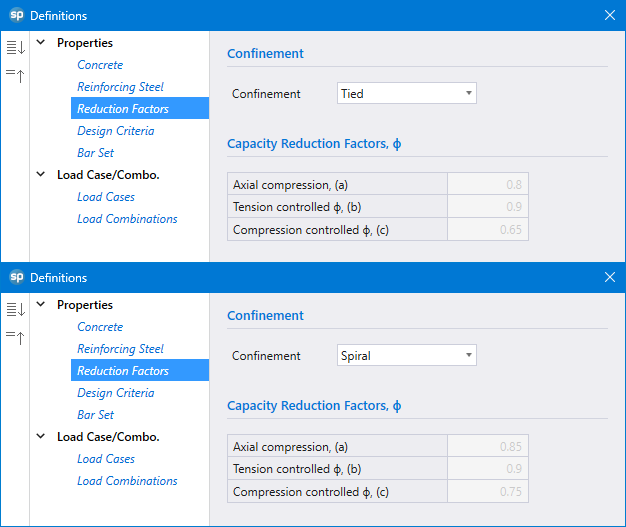
Figure 23 – Confinement Type (spColumn)
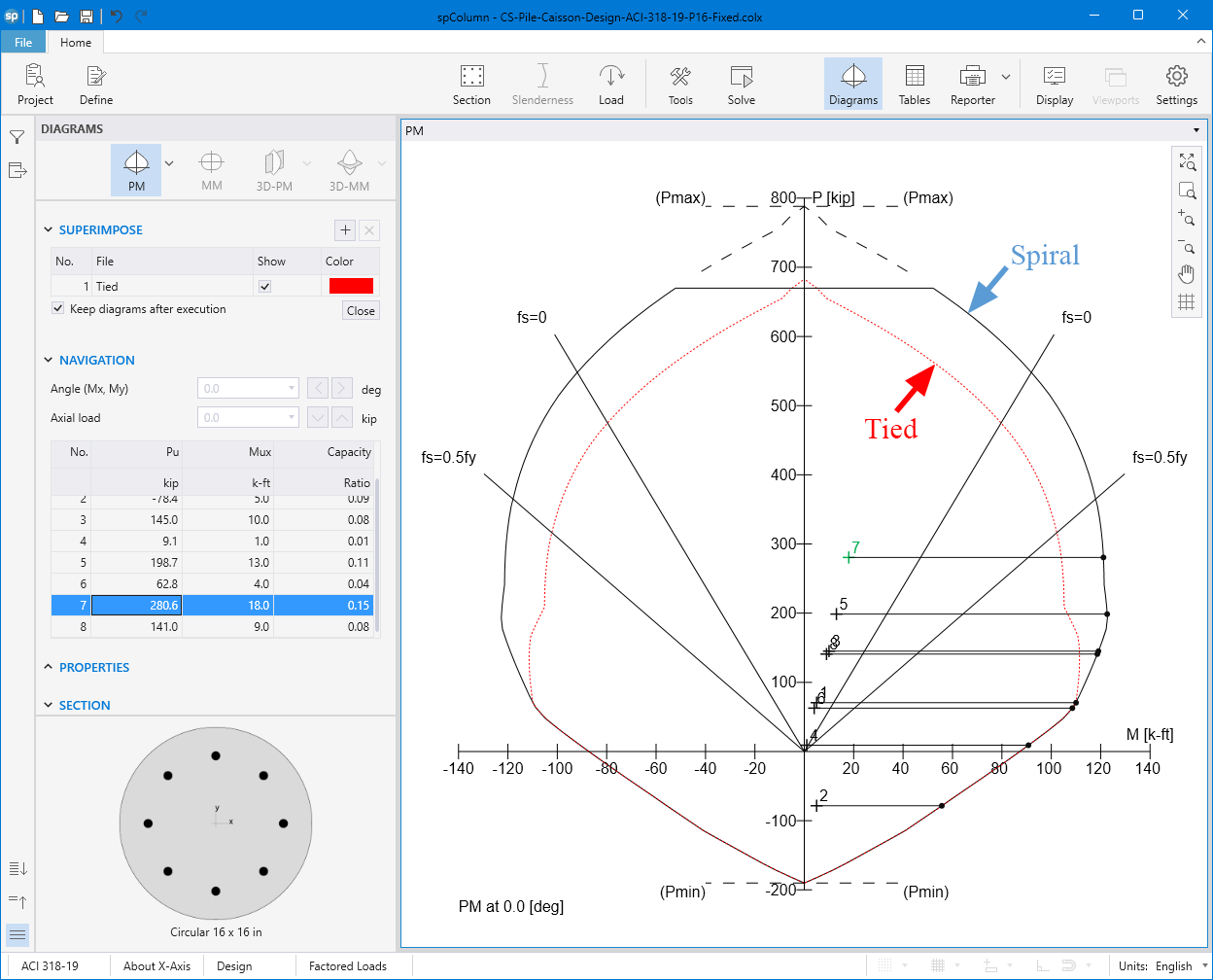
Figure 24 – Tied Confinement vs. Spiral Confinement (spColumn)